Phone
iPhone and Android
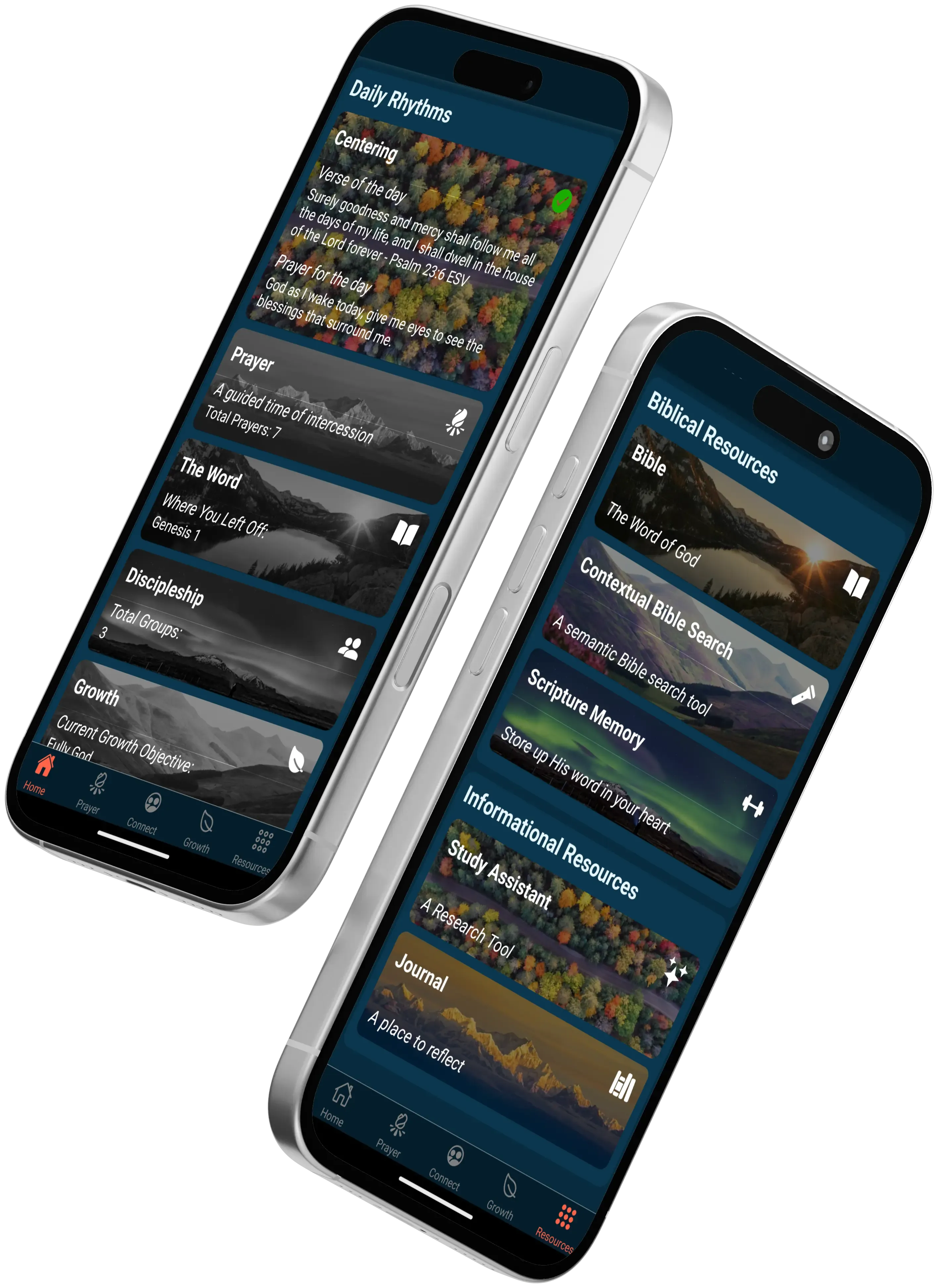
Your daily companion: guided prayer, Bible reading, journaling, and your group's chat, designed for one hand and a few spare minutes.
The Sandals Discipleship App is built around the same eight facets as the book. It runs on iPhone, iPad, Android phones and tablets, and any computer through a web browser, with one account that works everywhere.
Start on your phone, continue on your tablet, finish on your computer. Same account, same data, in sync.
iPhone and Android
Your daily companion: guided prayer, Bible reading, journaling, and your group's chat, designed for one hand and a few spare minutes.
iPad and Android tablets
The same app with room to breathe. Side-by-side layouts keep the Bible open while you journal, pray, or work a growth objective.
Any browser at app.sandalsdisciple.com
Nothing to install. Sign in from the browser for longer study, lesson preparation, and group leadership with a full keyboard.
Daily Guided Prayer using the PRAYERS model, prayers by category, a prayer journal, and a prayer schedule.
Multiple translations, highlighting whose default colors match the eight facets, notes, and a personal journal.
Built in, so your results are kept for you and you can watch your maturity across the eight facets over time.
The complete curriculum in all eight facets, each lesson with Scripture, an Image of Christ, meditation, and a week to walk it out.
Helps for each step of the Bear Witness pathway, plus a fourteen-lesson Bible study to work through with a friend who does not yet know Christ.
Discipleship pairs and small groups with chat, shared notes, and a group growth objective. Everyone keeps their own progress.
Add each other as connections by email and mark the relationship, such as mentor or mentee. Share prayer requests between meetings, open the same growth objective, keep your own progress, then meet to talk it through. Your assessment results stay with you.
A leader creates a group and invites members. Each group has a chat, shared notes, and a group growth objective the leader chooses from the catalog. If your church has given you a link code, enter it under Church or Ministry Affiliation in settings.
Install on a phone or tablet, or open the web app on a computer. Create one account and sign in everywhere.
Questions about rollout for your church? info@sandalsdisciple.com
Roll the Sandals app out to your congregation and pair it with the Shepherding Portal so leaders can see and support real growth.